AI Search · Cloud Drive Manager · 4K Player
All in BoxPlayer.
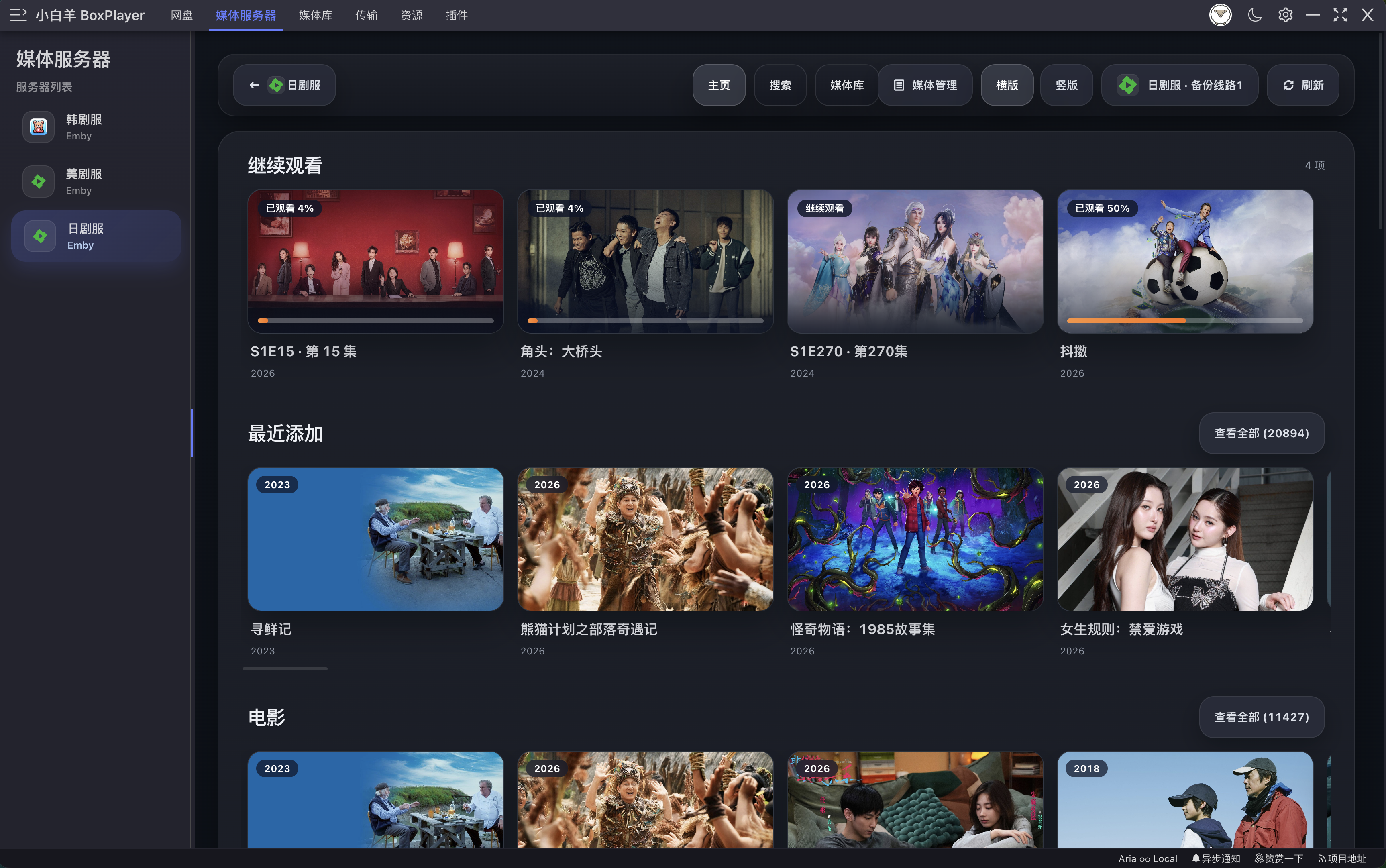
BoxPlayer is a free open-source cloud drive manager, AI search assistant, and 4K HDR media player. The free alternative to Infuse, VidHub, SenPlayer, Kodi, and VLC.
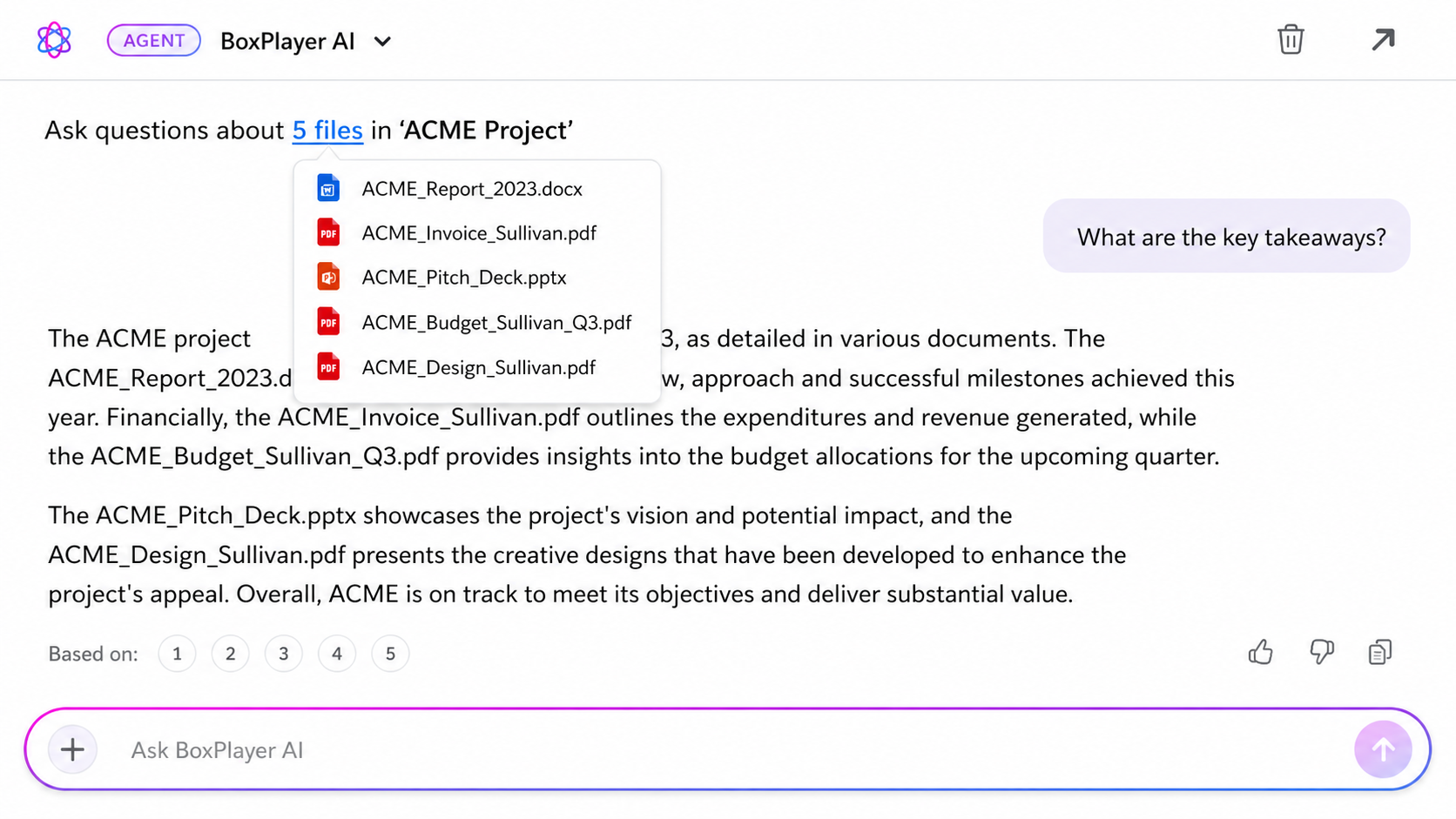
AI Agent searches all your cloud drives and the open web. AI file organizer, reading companion, TTS and translation. Also a 4K HDR player, Plex / Jellyfin / Emby client.
Not just a player. A whole theatre.
A 4K Dolby Vision player, Plex client, Jellyfin client, and Emby client in one — with AI Agent that searches 10+ cloud drives and the open web. The free open-source alternative to Infuse, VidHub, SenPlayer, Kodi, and VLC. The cloud-native evolution of aliyunpan tools.
AI search across all drives, AI reading companion for PDF/EPUB, one-click save from web — BoxPlayer is more than a media player.
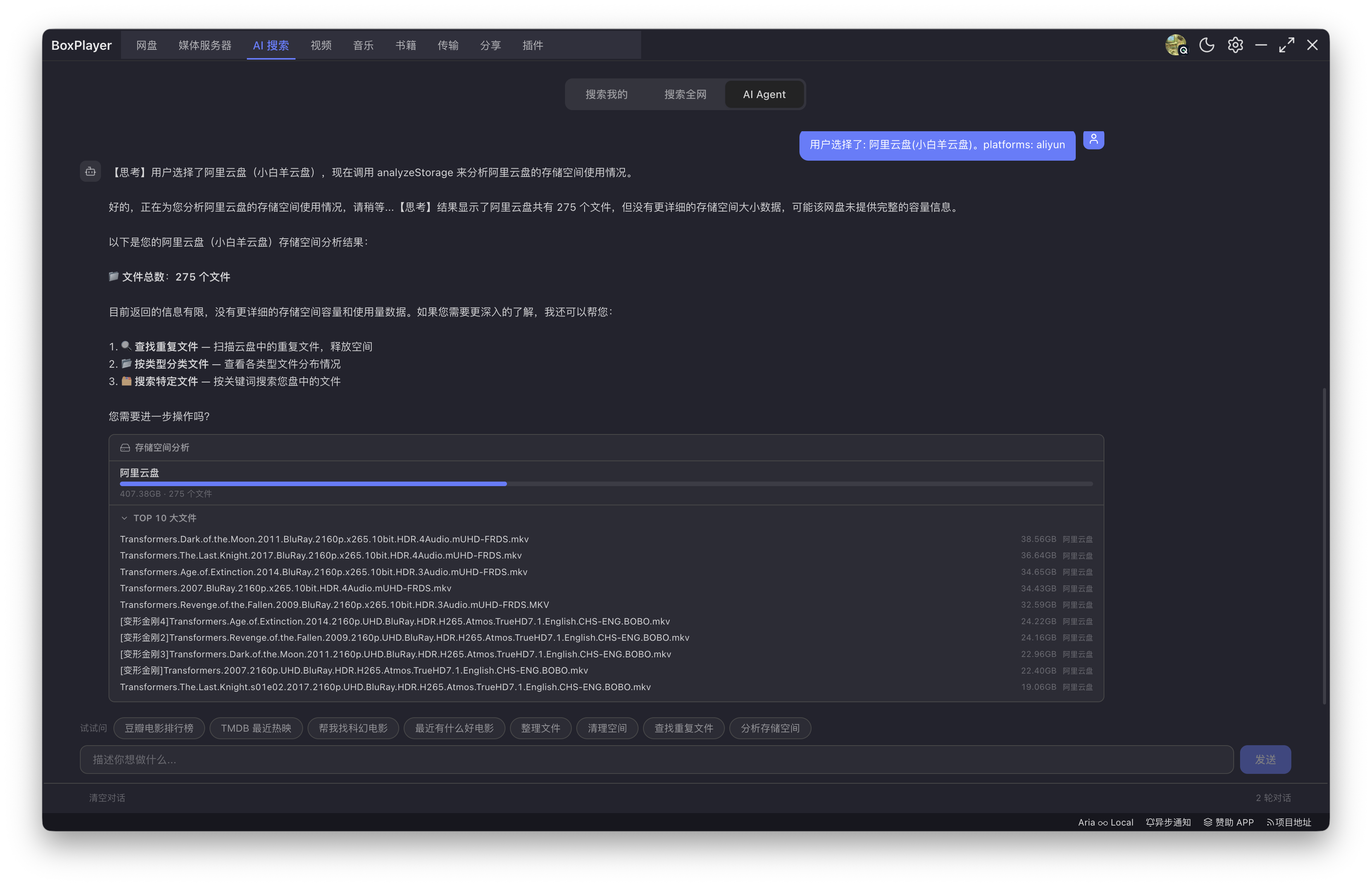
AI Agent · Smart Search Assistant
Describe what you need in plain language. AI searches all your cloud drives and the open web. Dedup, storage analysis, file organization — one sentence does it all. Unlimited with Pro.
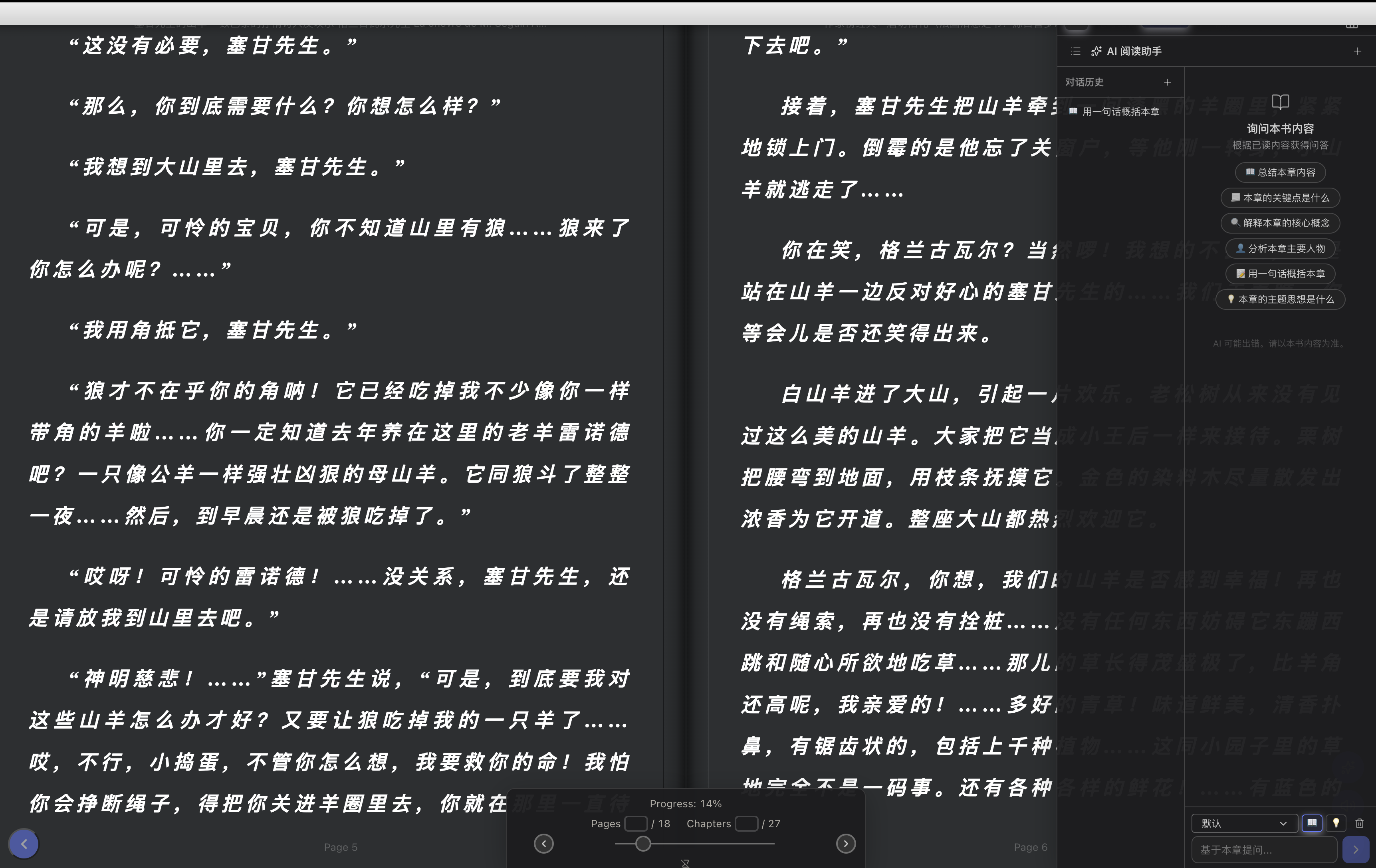
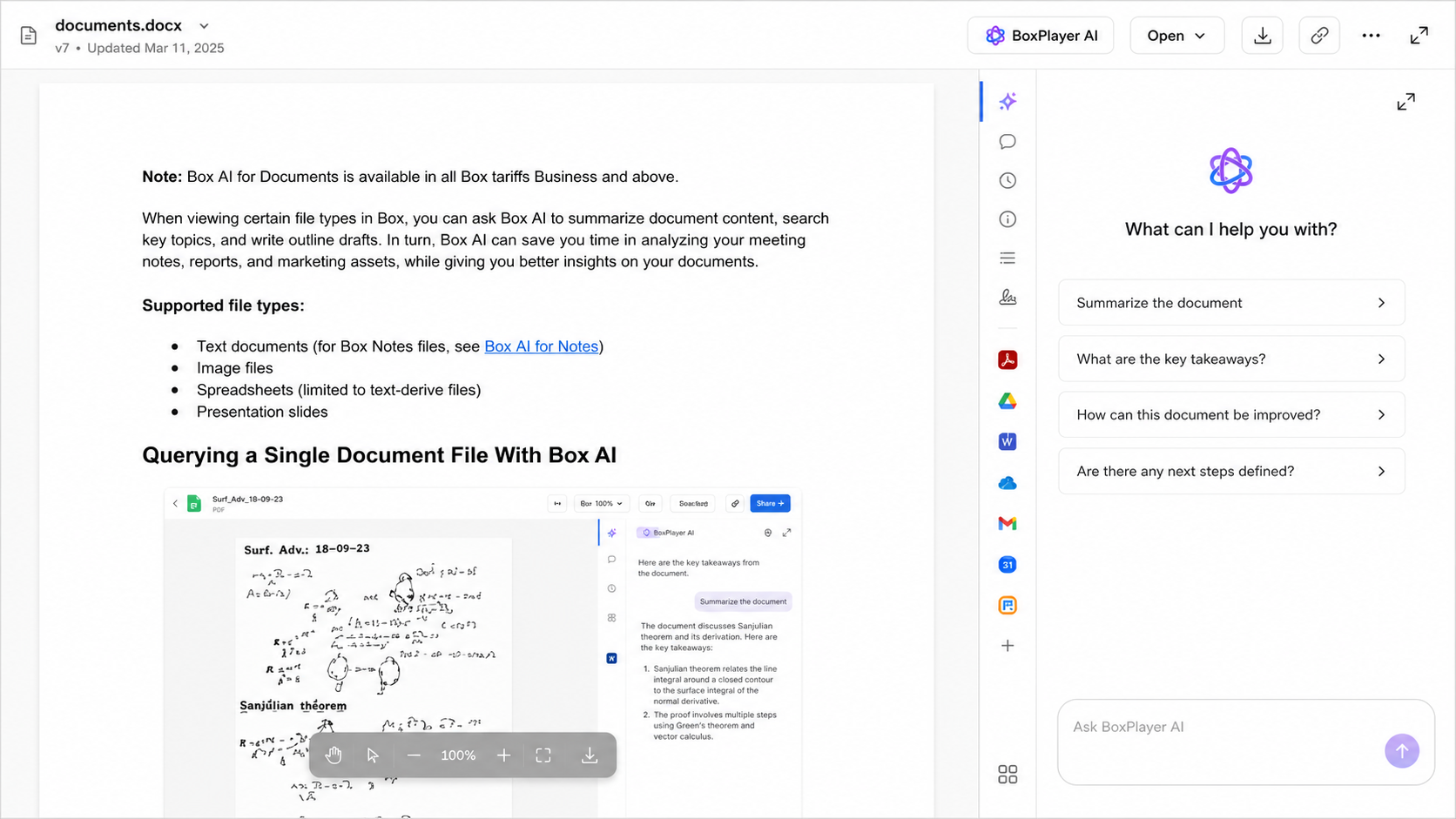
AI Reading · TTS · Translation
Ask AI questions while reading PDFs/EPUBs with full book context. Text-to-speech 5,000 chars/day, multiple voices. Instant translation with Google, Azure, and AI engines.
Global Search · Local + Web
Search across all cloud drives and media servers in one click. File names, folders, metadata all covered. Save Aliyun/Quark share links directly to your drive.
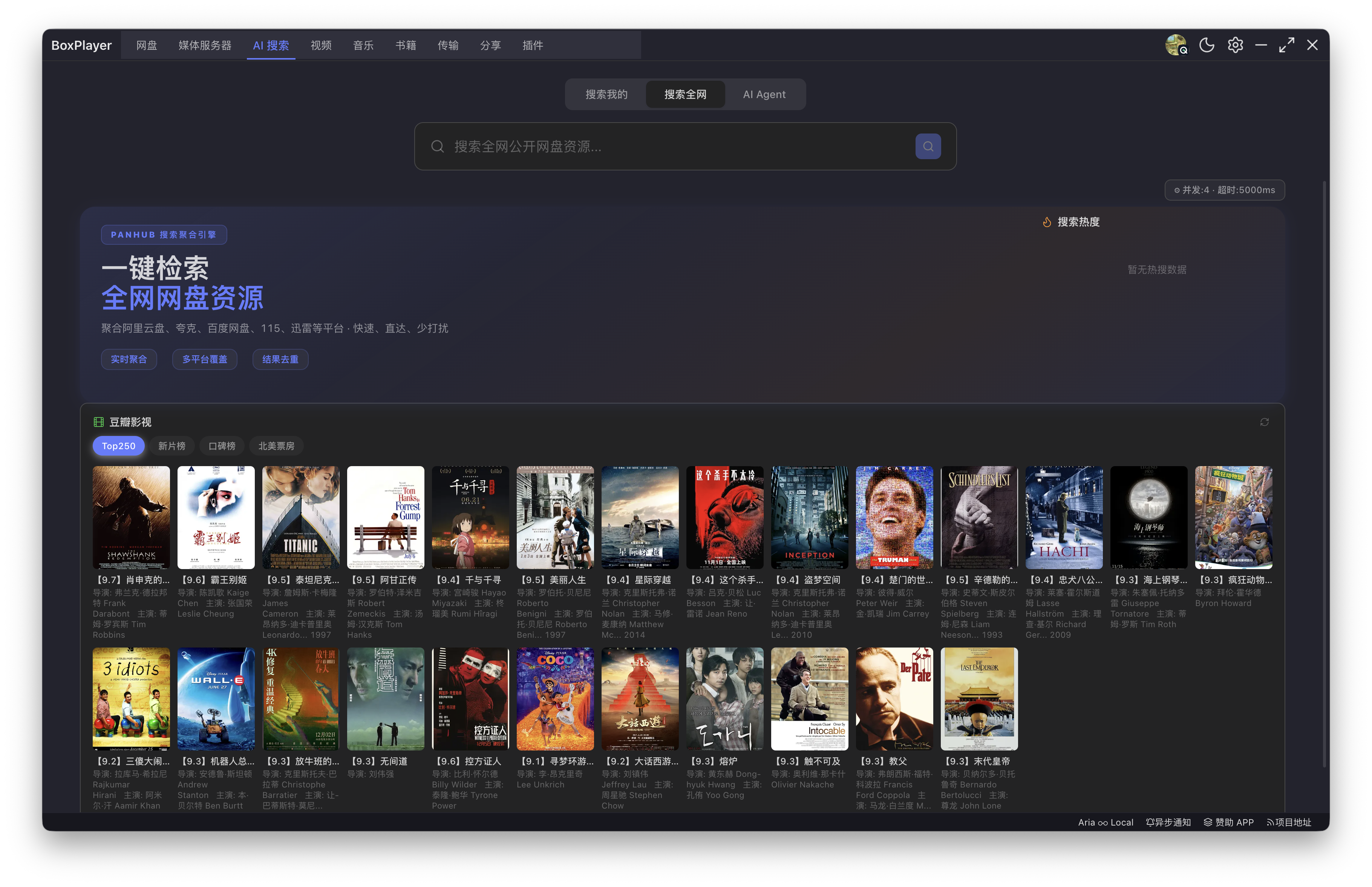
TMDB + Douban Movie Discovery
Real-time trending movie charts. Find something you like and search your drives for it instantly. TMDB trending/popular/top-rated and Douban Top250.
Cloud-direct streaming
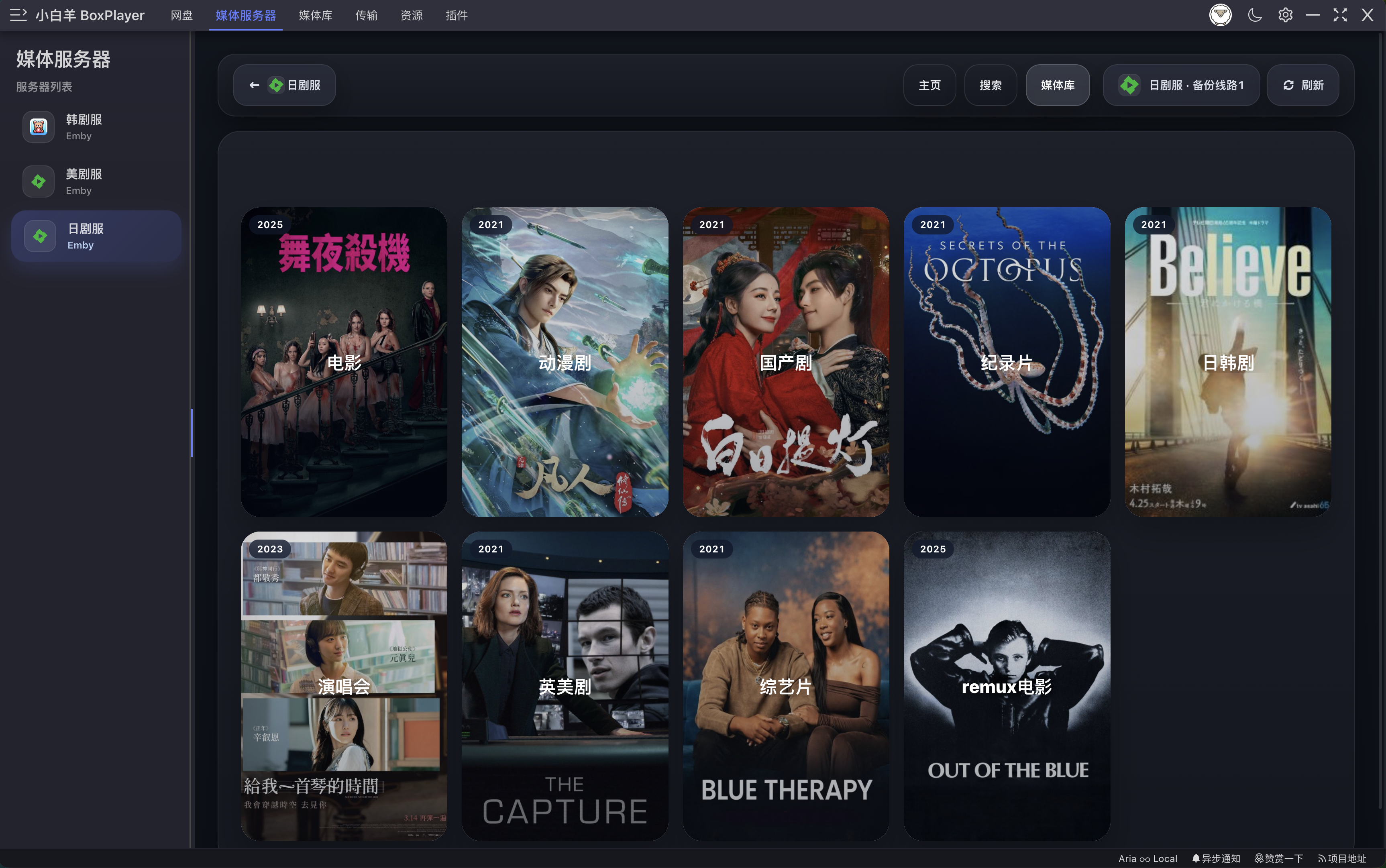
Aliyun Drive, Baidu Netdisk, OneDrive, Google Drive, Dropbox, 115, PikPak — no download, 4K instant playback with smart caching. Stop downloading before watching.
True 4K HDR · Dolby Vision · UHD BD
ISO, BDMV, VIDEO_TS, Dolby Vision, HDR10+, Dolby Atmos, DTS-HD MA, TrueHD — all supported. REMUX files play at original bitrate.
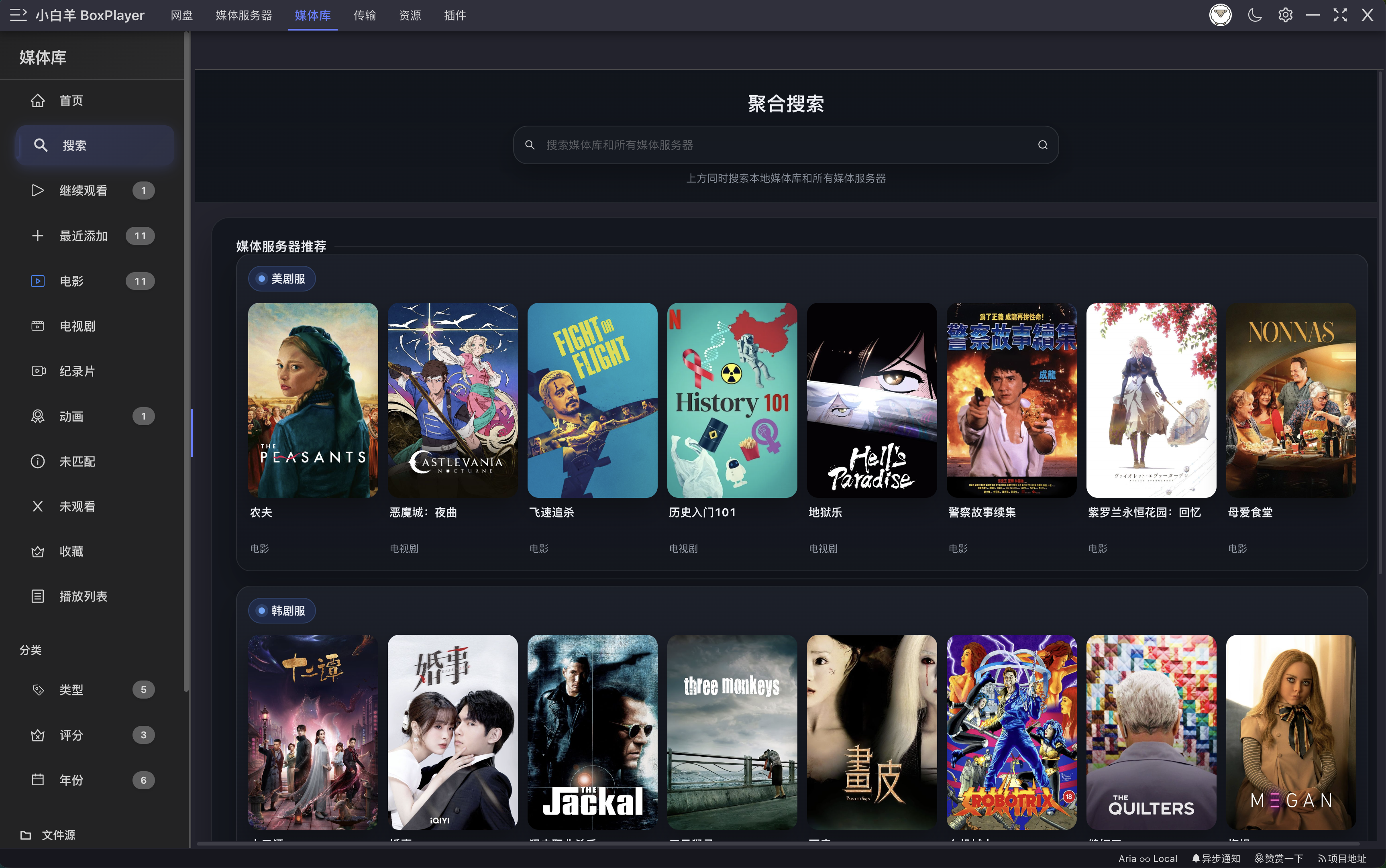
Smart media library · Poster wall scraper
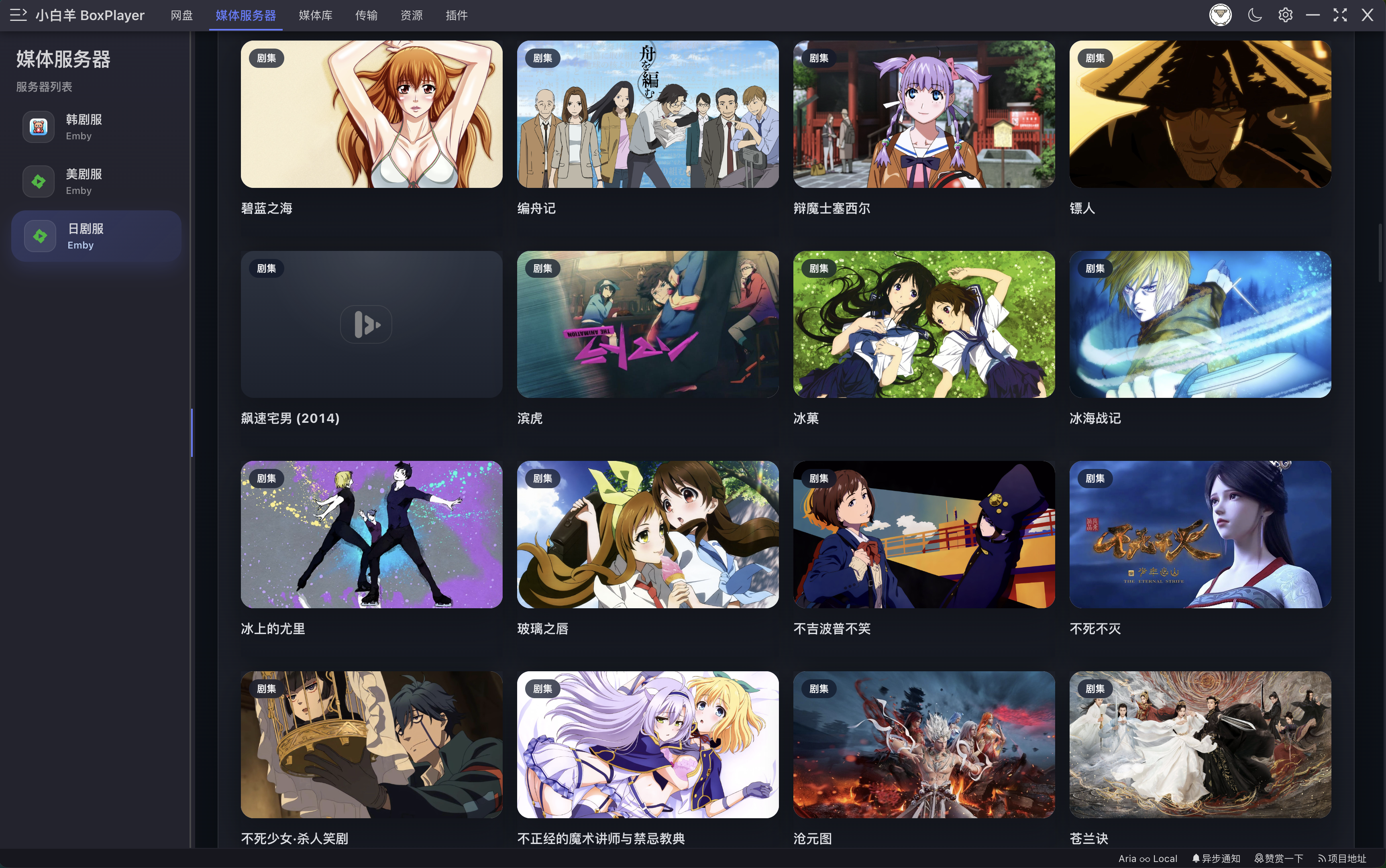
Auto-organized poster wall, movie/TV/anime recognition, TMDB metadata, external subtitle matching — your drive becomes Netflix.
Across every screen
iPhone, iPad, Apple TV 4K, MacBook, Windows, Linux desktop — one account, progress synced everywhere.
NAS · NFS · Local first
Synology, QNAP, TrueNAS, unRAID plug-and-play. NFS, SMB, WebDAV, FTP — one-click mount. Your files, your network, your private cinema.
Free forever. Pro when you need more.
Core file management, video playback, music, and local reading are always free. Upgrade to Pro for unlimited AI search, file organization, AI reading assistant, and more.
Free
Everything you need to manage and enjoy your cloud drives.
Get Started- Cloud drive file management
- Video & music playback
- Local book reading (PDF/EPUB)
- Multi-drive connection
- AI Smart Search — 5/day
- Global web search — 5/day
Pro
One-time · lifetime access
- Everything in Free, plus:
- Unlimited AI Smart Search
- Unlimited global web search
- One-click save share links
- AI File Organizer & dedup
- AI Reading Companion (PDF/EPUB)
- Text-to-Speech (5000 chars/day)
- Instant Translation (5000 chars/day)
- TMDB + Douban Movie Discovery
- Priority support
Pricing FAQ
What is Pro, and what do I get by upgrading?
Pro unlocks the full power of BoxPlayer: unlimited AI Smart Search across all your cloud drives, unlimited global web search, one-click save of share links, AI file organizer & dedup, AI reading companion (PDF/EPUB), text-to-speech, instant translation, and TMDB + Douban movie discovery. The free tier remains free forever — Pro is for when you need unlimited AI and the advanced toolkit.
How do I upgrade to Pro? Which payment methods are supported?
Download BoxPlayer and log in, then upgrade with the one-time lifetime plan. Payment is completed securely through Creem hosted checkout, and Pro activates after checkout.
Does one subscription work on all my devices?
For now, Pro covers Windows, Linux, and macOS devices signed in with the same BoxPlayer account.
Can I get a refund?
If Lifetime doesn't work out, contact support within 14 days of purchase for a refund.
Download the app and login to upgrade to Pro.
Built for the way cinephiles watch.
From a poster wall to the final HDR frame — every detail crafted for long-form cinema.

AI Agent
Smart search · File organizer

AI Reader
AI reading · TTS · Translation

Global Search
Public cloud drive search

Local Search
All drives + media servers

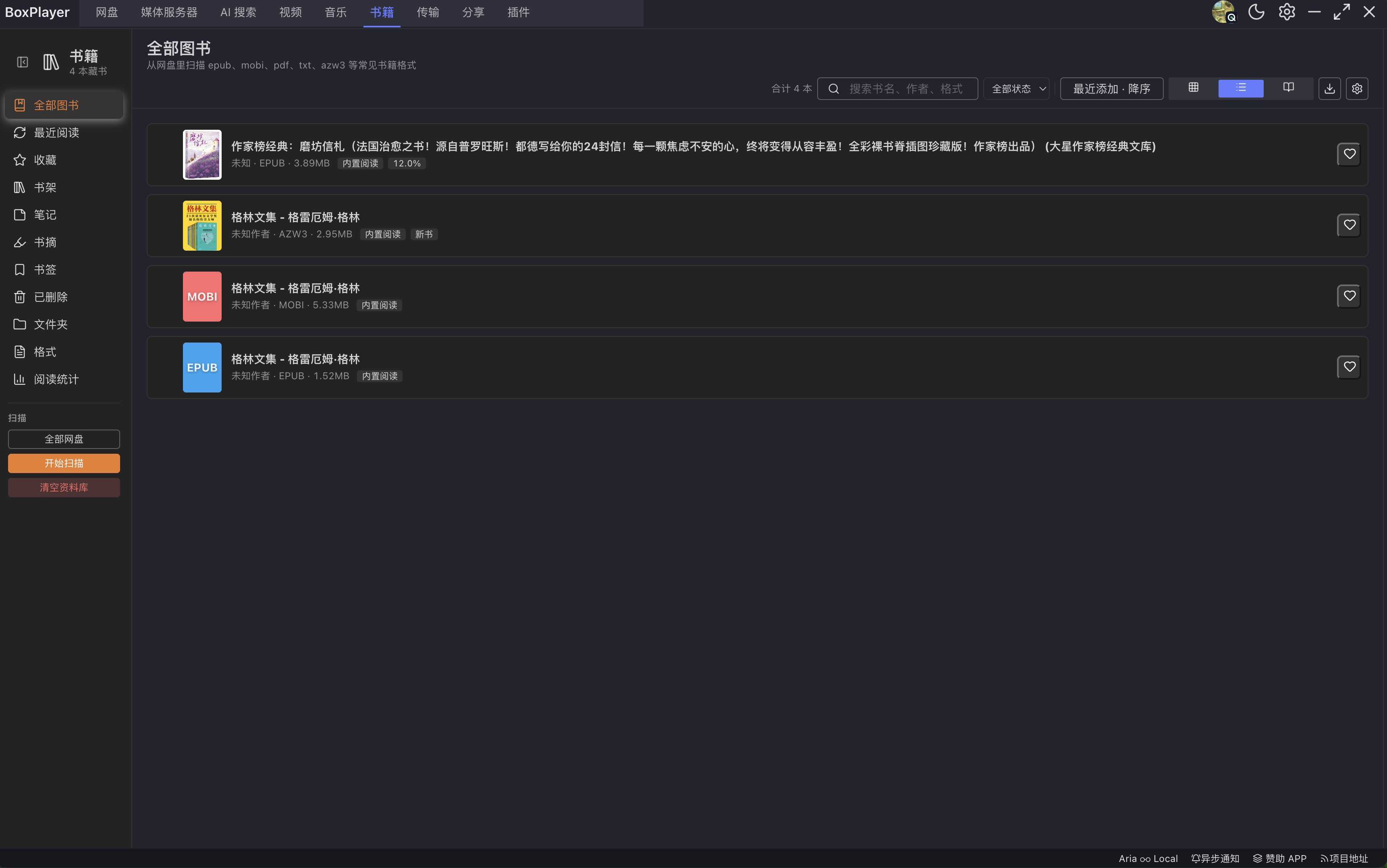
Book Library
Book library · Scanner

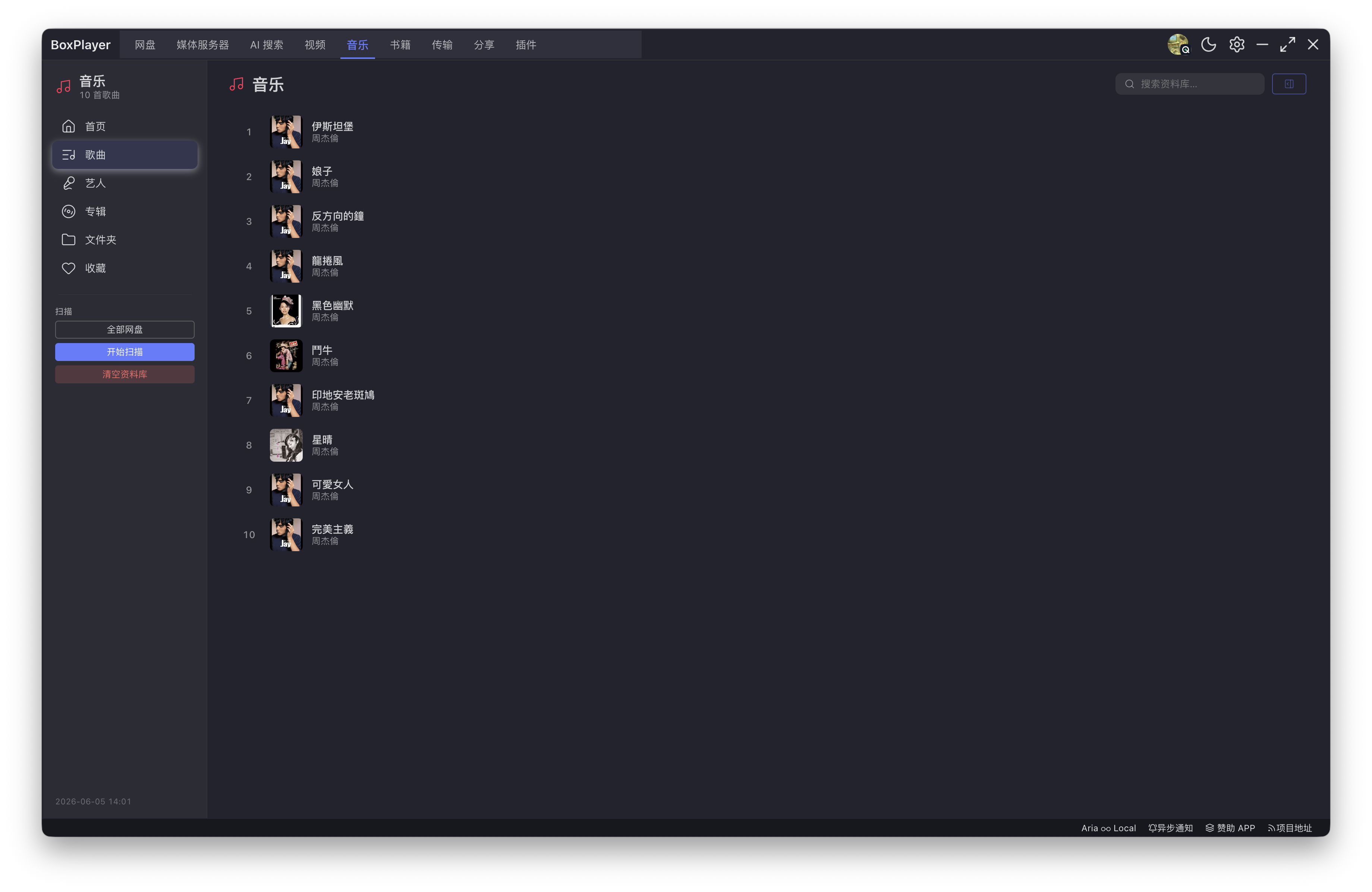
Music Library
Music · Artists · Albums
Your sources. All of them.
Media servers (Plex, Jellyfin, Emby, Kodi on Windows, Linux, Docker, Synology, QNAP, TrueNAS, or unRAID), NAS and network protocols (SMB, WebDAV, NFS, FTP), Chinese cloud drives (Aliyun Drive, Baidu Netdisk, 115, PikPak), and global cloud drives (OneDrive, Google Drive, Dropbox, Box) — one BoxPlayer connects them all.
- Aliyun Drive
- Baidu Netdisk
- Google Drive
- OneDrive
- Dropbox
- Plex
- Jellyfin
- Emby
- SMB
- WebDAV
- NFS
- FTP
Free and open source forever.
Most cross-platform players either charge, stay closed-source, or skip Linux. BoxPlayer is MIT licensed, has no tracking, no ads, and does not collect viewing data. Your library stays yours, and one codebase can be built, audited, modified, and distributed by anyone.
- License
- MIT
- Platforms
- Win · Linux
- Cost
- $0 forever
Star history
Fully open source
The Windows and Linux clients are 100% open on GitHub: source code, build scripts, and release binaries are public for auditing, self-hosting, and development.
Free forever, no paywall
No trial limits, no bitrate locks, no reduced audio tracks. HDR, Dolby Vision, UHD discs, and Plex/Jellyfin/Emby connections are all free.
MIT-friendly license
Read it, change it, fork it, and build your own player from it. We want more people to enjoy high-quality playback on every screen.
- build.sh
# Linux / Windows git clone https://github.com/gaozhangmin/boxplayer.git cd boxplayer pnpm install pnpm run build:linux # or build:win
Let AI drive your cloud drives. Developer tools for power users.
BoxPlayer extracts cloud-drive automation into clouddrive-cli — a command-line tool for developers and a stable API for Claude, Codex, Cursor, or any MCP agent.
Unified API for 7 cloud drives
Aliyun Drive, OneDrive, Dropbox, Box, Baidu Netdisk, 115, and PikPak — one command set, one JSON shape, one permission model.
Three-step safety model
Generate a plan, validate with dry-run, then execute after user confirmation. Every write operation is traceable and undoable with ops undo.
AI-native media organization
Detect movies, TV shows, and anime automatically, then generate Jellyfin / Emby / Plex-friendly names so messy cloud folders become a real media library.
Install the CLI
Install globally from npm in seconds
npm install -g clouddrive-cli
# verify
clouddrive-cli --help
clouddrive-cli auth list --jsonInstall the Claude Skill
Let Claude / Codex drive the CLI directly
# Method A — npx
npx skills add boxplayer/clouddrive-cli -g
# Method B — copy SKILL.md
cp $(npm root -g)/clouddrive-cli/skill/SKILL.md \
~/.claude/skills/clouddrive-cli/SKILL.mdSpeak naturally. The agent runs commands.
- You
Show me which movies are in Aliyun Drive and count them
Agent runs$ auth list --json $ files walk --provider aliyun \ $ --path <Movies> --json > files.json $ media scan --input files.json --json - You
Rename the TV shows in Aliyun Drive for Jellyfin
Agent runs$ files walk --provider aliyun \ $ --path <TV> --json > files.json $ media rename-plan --input files.json \ $ --style jellyfin --output plan.json $ files rename-apply plan.json \ $ --current files.json --dry-run $ files rename-apply plan.json \ $ --current files.json # confirm - You
Undo the rename operation I just ran
Agent runs$ ops list --json $ ops undo <op-id> --dry-run --json $ ops undo <op-id>
Native MCP server included
clouddrive-mcp exposes files_walk, media_rename_plan, ops_undo, and 17 tools to any MCP client — Claude Desktop, Cursor, and Codex work with one config block.
Get BoxPlayer on every screen.
Download BoxPlayer for iPhone, iPad, Apple TV, macOS, Windows, and Linux. Android support is coming soon.
- iOS · iPadOSAvailable on the App StoreApp Store →
- Apple TVNative tvOS experience for the living roomApp Store →
- macOSNative Apple Silicon performanceMac App Store →
- WindowsFree open source · GitHub ReleaseGitHub Release →
- LinuxFree open source · AppImage / deb / rpmGitHub Release →
- AndroidGoogle Play and APK · Coming soonComing soon
App Store requires iOS 16+ / iPadOS 16+ / tvOS 16+ / macOS 13+. Windows 10+ and major Linux distributions are available from GitHub Releases.
Frequently asked questions
Answers about BoxPlayer's video player, Plex / Jellyfin / Emby client, cloud-drive streaming, 4K HDR support, and AI Agent media organization.
- BoxPlayer is free to use. The Apple apps for iOS, iPadOS, Apple TV, and macOS are free on the App Store. The Windows and Linux desktop clients are fully open source on GitHub under the MIT license, with no paywall, bitrate lock, resolution limit, subtitle lock, or audio-track restriction.